Waking up to turn off the bedside speaker or adjust the ceiling fan only to realize the universal remote is missing is a frustrating daily struggle. For many people, the bedroom TV remote is not just a device for the television; it is a multi-functional controller for lights, blinds, and soundbars that gets shuffled into pockets, bags, and clutter piles throughout the day. This guide walks you through a logical, step-by-step approach to locating a lost TV remote in your bedroom, while also offering strategies to prevent future mix-ups.
Instead of frantically rummaging through every drawer, you can use targeted scanning techniques that account for where people actually lose small, flat objects. The following sections break down common hiding spots, effective search patterns, and long-term organizational fixes that make finding the remote significantly easier next time.
Why Bedroom Remotes Disappear More Often
Before diving into specific search tactics, it helps to understand the behavioral patterns that lead to lost remotes. The bedroom is a transitional space. You enter it after a long day, often carrying pockets full of keys, phones, and small items.
The remote, usually resting on a nightstand or desk, competes with other items for visual attention. When fatigue sets in, the brain stops cataloging new object locations precisely. You pick up the remote to change a channel, set it down on a pile of clothes, then move the clothes without thinking.
This “blind spot” phenomenon is the primary cause of missing remotes. Unlike a car remote that stays near the door, a bedroom remote is mobile and frequently integrated into the chaos of nightly routines. Recognizing this behavioral disconnect is the first step in finding it efficiently.
The 15-Minute Bedroom Sweep
Do not spend hours searching blindly. Use a structured sweep that covers the highest-probability zones first. Start with the nightstands.
Do not just look at the top surface. Check underneath the drawers, inside the open cup holders, and within any small baskets or trays sitting on the stand. Many people toss the remote into a basket intended for tissues or jewelry, assuming it is safe, but it easily gets buried.
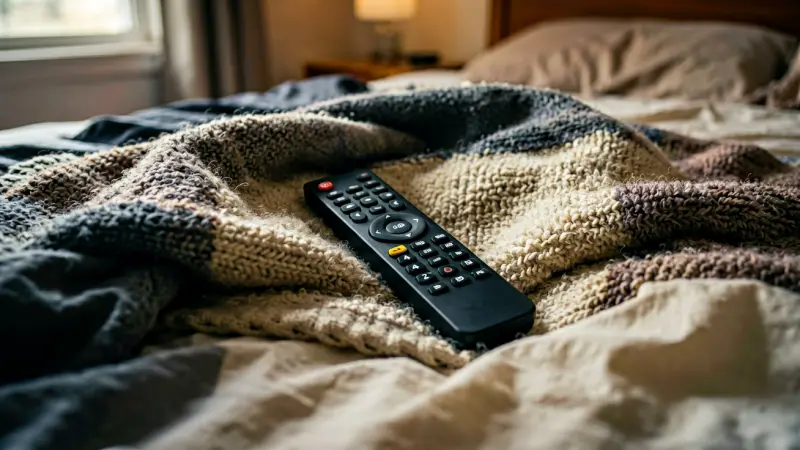
Next, move to the bed. Slide the remote check under the mattress. If you sleep with a gap between the mattress and the wall, use a long ruler or broom handle to reach into the dark space.
Remotes are thin enough to slide under beds and hide from casual eye contact.
Targeting Specific Hiding Spots
If the nightstands and bed are clear, expand the search to secondary surfaces. The closet is a prime suspect. Check the top of the shelves, inside empty bags hanging in the wardrobe, and in the pockets of folded coats or hoodies.
People often toss the remote into a jacket before hanging it up, creating a hidden pocket trap. Also, inspect the under-bed storage boxes. If you keep shoes or seasonal items under the bed, the remote may have fallen behind a box.
A quick flashlight sweep in the corners of the room will reveal dark spots where small objects accumulate dust and debris. Pay attention to areas behind the headboard. Wires, decorative items, or loose panels can create small voids where a remote can slip through.
Using Technology to Locate Your Remote
Modern technology offers a surprisingly effective way to find a lost TV remote. If your remote is a smart remote with Bluetooth capabilities, such as those from major electronics brands, you can often use your smartphone to locate it. Most manufacturer apps include a “Find My Remote” feature.
Open the app, tap on the remote icon, and enable the locator. The app will ping the remote, causing it to emit a sound or light up. Walk around the bedroom, tilting your phone slightly toward likely areas.
Even if you cannot hear a beep, the signal strength indicator on the screen will grow brighter as you get closer. This method works best for Bluetooth-enabled remotes. For non-smart remotes, you can still use sound to your advantage.
Turn off the lights in the room. If you have a remote that makes a faint clicking sound when pressed, press the buttons gently while moving slowly. The quiet environment makes the plastic click audible, helping you triangulate the location.
Additionally, some universal remotes have a built-in speaker or can play a tone if paired with a specific app. Check the manual for your specific model to see if this feature is available.
Common Search Mistakes to Avoid
In the heat of the moment, it is easy to make errors that prolong the search. The biggest mistake is random rummaging. Tossing clothes off the bed and pulling items out of closets without a system often displaces the remote further.
If you find a shoe near the corner of the bed, the remote might have been under the bed, not in the shoe. By moving the shoe, you risk knocking the remote into a deeper, harder-to-reach gap. Another common error is assuming the remote is in a “logical” place.
People tend to look where they think they put it, not where they actually put it. Memory is unreliable when stressed. Instead of relying on recall, rely on physical sweep patterns.
Do not limit your search to daytime conditions. If you cannot find the remote during the day, try searching again at night with a flashlight. The angle of light casts shadows differently, revealing objects that were invisible under overhead lighting.
Organizing Your Space to Prevent Future Loss
Creating a Dedicated Home Base
The most effective way to stop losing your remote is to give it a fixed, predictable location. Designate a single spot in the bedroom where the remote lives when not in use. This could be a specific spot on the nightstand, a small ceramic bowl on the desk, or a magnetic holder mounted to the wall.
The key is consistency. Train yourself to put the remote in that exact spot every single time you finish using it. If you use the remote to adjust the lights or fan, place it back in its home base immediately.
Do not leave it on the bed or the sofa. By creating a habit loop, you eliminate the variable of “where did I put it?” and replace it with “it is in its home base.”
Managing Multiple Remotes
Many bedrooms have more than one remote. A universal remote for the TV, a separate remote for the air conditioning unit, and a remote for a soundbar can create confusion. Use color-coded caps or stickers to differentiate them.
A blue cap for the TV remote and a red cap for the AC remote prevents accidental swapping. Consider purchasing a small remote holder tray. These keep remotes upright and prevent them from sliding off edges.
A simple adhesive tray can be attached to the nightstand leg or the wall, keeping the remotes visible and accessible without taking up surface space. This simple organizational tool reduces clutter and makes the remotes easier to find at a glance.
When to Consider Replacing Your Remote
Sometimes, the effort to find a lost remote outweighs the cost of a replacement. If your remote is older than five years, it may be prone to battery leakage and internal dust buildup. Check the battery compartment for corrosion.
A green or white crust indicates acid leakage, which can damage the circuit board. If you frequently lose the remote, consider switching to a remote with a more durable casing or a keychain loop. A metal keychain loop allows you to attach the remote to a key fob or a belt loop, ensuring it travels with you.
For those who frequently misplace items, a Bluetooth tracker tag, such as a small AirTag or similar device, can be placed inside the remote or in its case. These tags cost a fraction of a new remote and provide precise location data via your smartphone. This is a worthwhile investment if you are a chronic mislayer.
Before buying a new remote, verify compatibility. Universal remotes are inexpensive and can replace multiple old remotes, simplifying your setup and reducing the number of devices you need to track.
Practical Search Techniques Table
The following table summarizes the most effective search zones and techniques for a bedroom environment. Use this as a quick reference checklist when you are ready to start your sweep.
| Search Zone | Specific Spots to Check | Recommended Technique |
|---|---|---|
| Nightstands | Under drawers, in baskets, between cushions | Visual inspection with flashlight |
| Under Bed | Gap between mattress and wall, behind storage boxes | Use a broom handle or ruler to sweep |
| Wardrobe/Closet | Top of shelves, inside hanging bags, folded clothes | Shake garment bags and check pockets |
| Desk/Office | Behind monitor, inside desk drawers, under papers | Move items in blocks, do not stack |
| Technology | Bluetooth range, sound pings | Use manufacturer app or manual button press |
Maintaining a Remote-Friendly Bedroom
Long-term prevention requires small habit changes. Implement a “one-touch” rule. If you pick up the remote, and your final destination for that item is the home base, put it there immediately.
Do not set it down temporarily on the dresser or bed. This mental trigger prevents the remote from becoming a transient object. Regularly declutter the nightstands.
A cluttered surface makes it easier for small items to disappear into the background. Keep only essential items on the nightstand: the remote, a glass of water, and a book. Everything else belongs in a drawer or on a shelf.
This minimalist approach ensures that when you look for the remote, there are fewer visual distractors. Additionally, if you have a cat or pet, be aware that they may knock the remote off the nightstand. A pet-proof enclosure or a remote that is too large for them to drag into a corner can mitigate this specific cause of loss.
Pets often bury objects in soft spots, such as under the bed or behind furniture legs.
FAQs About Finding Lost Remotes
What if my remote is not Bluetooth-enabled?
If your remote does not have Bluetooth or a smart app feature, you rely on physical search and auditory cues. Press the buttons in a quiet room to listen for the internal click. Some remotes have a low-impact rattle when shaken gently.
You can also place the remote in a container with a coin or small ball bearing. If you shake the container, the sound will echo slightly differently when the remote is inside, giving you a tactile clue to its presence in a drawer or bag.
How long should I search before buying a replacement?
A reasonable search time is 15 to 20 minutes using the structured sweep methods described above. If the remote is a universal model or has no sentimental value, and the replacement cost is under $20, it is often more efficient to buy a replacement than to spend an hour searching a cluttered room. Time is a resource.
If the search is causing significant stress, prioritize your mental well-being and purchase a new remote. However, if it is a specialized remote for a unique system, a longer search may be warranted.
Can I use my phone to find a non-smart remote?
Not directly, but you can use your phone’s camera in low-light mode to see under the bed or in dark corners. The camera sensor often picks up reflections or slight movements better than the human eye in dim light. Additionally, use your phone as a flashlight.
The light beam helps you inspect small gaps and shadows where a remote might be hiding. The phone is a useful tool for extending your visual reach, even if it cannot track the remote’s location digitally.
Conclusion
Finding a lost TV remote in your bedroom requires shifting from frantic guessing to a systematic sweep. Focus on the highest-probability zones: nightstands, under the bed, and the closet. Use technology to your advantage if your remote supports it, and rely on auditory and visual tricks for standard models.
The key to long-term success is creating a consistent home base for your remote and maintaining a decluttered environment. By establishing a habit of putting the remote in a specific spot every time you are done using it, you eliminate the stress of future searches. A few minutes of initial organization saves hours of frustration later.
Treat the remote as a tool with a fixed location, and you will likely never lose track of it again.